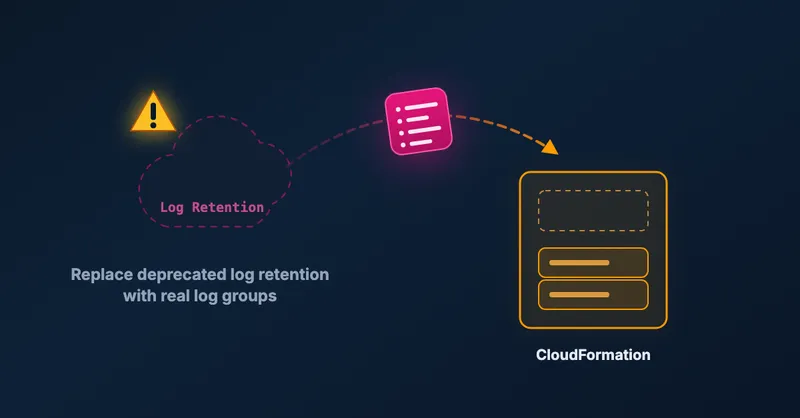
Migrating AWS CDK logRetention to logGroup Without Losing Your Logs
If you set log retention on a Lambda function in the AWS CDK, you have probably run into this warning during synth or deploy:
[WARNING] aws-cdk-lib.aws_lambda.FunctionOptions#logRetention is deprecated.
  use `logGroup` instead
  This API will be removed in the next major release.
The fix looks trivial. Swap logRetention for logGroup and move on. It is not that simple. Do it naively and CloudFormation either refuses to deploy or, worse, you lose the log group that already holds your logs. I built a small repository that reproduces the whole thing against a real AWS account and shows a safe migration path that adopts the existing log group instead of recreating it.
Short version: you cannot just switch the prop. The old log group is not managed by CloudFormation, so you have to import it. The safe sequence is remove logRetention, then cdk import the existing log group, then cdk deploy.
Why logRetention is a trap
When you write logRetention on a Lambda function, CDK does not create a plain log group. It deploys a Custom::LogRetention custom resource (its own Lambda function, an IAM role and a policy) that imperatively calls the CloudWatch Logs API to create /aws/lambda/<function-name> and set its retention.
The important consequence is that this log group is not in your CloudFormation template. CloudFormation does not own it. It exists in your account, holds your logs, and no stack resource points at it.
So when you later replace logRetention with a proper logGroup (an AWS::Logs::LogGroup resource), CloudFormation tries to create a log group with a name that already exists, and the deploy fails.
Why the naive fix fails loudly
On recent CDK versions the feature flag @aws-cdk/aws-lambda:useCdkManagedLogGroup is on by default. The moment you remove logRetention, the Lambda L2 construct auto-adds an AWS::Logs::LogGroup named /aws/lambda/<function-name>, the exact name that already exists in your account.
CloudFormation’s early validation catches this before it runs anything:
The following hook(s)/validation failed: [AWS::EarlyValidation::ResourceExistenceCheck].Translated, that says “you asked me to create a log group that already exists.” The changeset is rejected. One gotcha here: if your cdk bootstrap is older than v30, the deploy role cannot call cloudformation:DescribeEvents, so you will not even see why the deploy failed. Re-bootstrap to get readable error details.
One fact that makes this safe
Before removing logRetention, confirm that deleting the custom resource does not delete your log group. The Custom::LogRetention handler only deletes the group when its removal policy is destroy. The default is not destroy, so removing logRetention orphans the log group but keeps it and all its logs. That is the property we rely on for a safe migration.
The safe migration
The log group already exists but CloudFormation does not own it. The answer is to import it, which tells CloudFormation to adopt an existing resource rather than create it. This has to be staged, because a CloudFormation import can only import resources. It cannot create, update or delete anything else in the same changeset.
First, replace logRetention with an explicit logs.LogGroup whose name matches the existing physical log group. Keep the original retention and set the removal policy to RETAIN:
const logGroup = new logs.LogGroup(this, 'LogGroup', {
  // Must match the group the Custom::LogRetention resource already created.
  logGroupName: '/aws/lambda/MyStack-DeprecatedFn5E553EFC-HpmrYTnl71Jj',
  retention: logs.RetentionDays.ONE_WEEK,
  removalPolicy: cdk.RemovalPolicy.RETAIN,
});

new lambda.Function(this, 'DeprecatedFn', {
  // ...runtime, handler, code unchanged...
  logGroup, // the deprecation-free replacement
});
Do not set functionName. The log group name embeds the auto-generated function name, so keeping the construct id and function name stable keeps that mapping valid.
Then run the two commands. Import the existing log group into the stack, then deploy the rest:
# 1. Adopt the existing physical log group into the new LogGroup resource.
cdk import --force --resource-mapping-inline \
  '{"LogGroupF5B46931":{"LogGroupName":"/aws/lambda/MyStack-DeprecatedFn5E553EFC-HpmrYTnl71Jj"}}'

# 2. Attach the function's LoggingConfig and delete the old custom resource.
cdk deploy
--force lets the import proceed even though the diff also removes the custom resource. Those changes are applied on the next deploy, not during the import. LogGroupF5B46931 is the logical ID CDK gives the LogGroup construct. Find yours with cdk synth.
The result
After the deploy you get the same log group. Its creationTime is unchanged, which proves it was adopted and not recreated, so old log streams and events are intact. Retention stays where it was, the removal policy is RETAIN, and the function’s LoggingConfig points at the imported group. The Custom::LogRetention custom resource, its Lambda, role and policy are gone, and so is the deprecation warning.
The full reproduction and every commit are on GitHub if you want to walk through it against your own account before touching production.
Wrapping up
The deprecation warning makes this look like a one-line change, but the custom resource behind logRetention means the log group lives outside CloudFormation. Import it instead of recreating it and you keep your history without a failed deploy. If you are cleaning up CloudWatch more broadly, you might also like my older post on removing orphaned CloudWatch log groups, and if you work with CDK constructs, migrating a CDK construct to projen and jsii covers another migration story.

Related Articles
Migrating a SAM CfnApplication to a CDK NestedStack Without Recreating Resources
How to replace an embedded SAM CfnApplication with a native CDK NestedStack in place, keeping the underlying Lambda and Step Functions resources and their outputs intact.
Scale CloudWatch Alarms with Metrics Insights Queries
Use CloudWatch Metrics Insights to monitor multiple resources by querying their tags.
Remove old CloudWatch log groups of Lambda functions
Automatically remove orphaned CloudWatch log groups from deleted Lambda functions. Python script using CloudFormation stack to identify and clean up old logs.
Updating Tags on an OpenSearch Serverless Collection Replaces the Resource
AWS::OpenSearchServerless::Collection requires replacement when you update tags — a surprising CloudFormation behavior that can break cross-account setups and cause downtime.