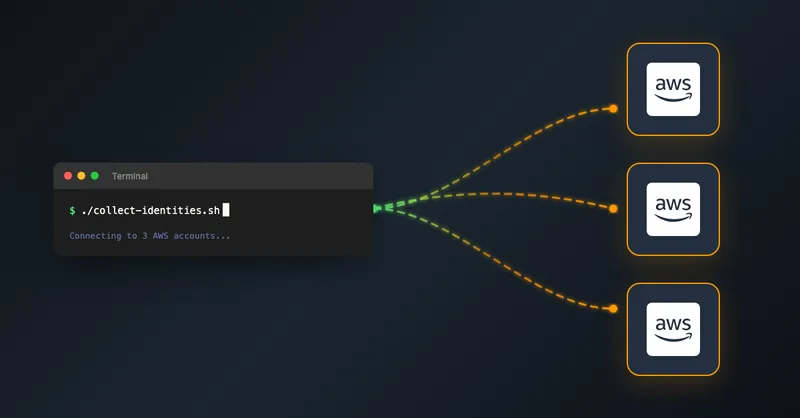
Running Scripts Across Multiple AWS Accounts with AWS SSO
Managing multiple AWS accounts is common in organizations following best practices. You might have separate accounts for development, staging, and production, or multiple sandbox accounts for different teams. But what happens when you need to run the same AWS CLI command across many of those accounts?
In this post, I’ll show you how to use a bash script with AWS SSO to execute commands across multiple AWS accounts and regions from your local machine.
🎯 The Challenge
When working with multiple AWS environments, you often need to:
- Check resource configurations across all accounts
- Deploy or update resources consistently
- Audit settings or gather information
- Clean up resources across environments
Doing this manually means:
- Running
aws sso loginfor each profile - Switching between profiles using
--profile - Repeating commands for each region using
--region - Manually tracking success and failures
This process is tedious, error-prone, and time-consuming.
🛠️ The Solution
Here’s a bash script that automates running AWS CLI commands across multiple accounts and regions. It handles authentication, execution, and provides clear feedback on success or failure.
#!/bin/bash

set -euo pipefail

# Configuration
PROFILES=("product-dev" "product-test" "product-prod" "sandbox-one" "sandbox-two")
REGIONS=("eu-central-1" "eu-west-1")

# Colors for output
RED='\033[0;31m'
GREEN='\033[0;32m'
YELLOW='\033[1;33m'
NC='\033[0m'

log_info() {
    echo -e "${GREEN}[INFO]${NC} $1"
}

log_error() {
    echo -e "${RED}[ERROR]${NC} $1"
}

log_warning() {
    echo -e "${YELLOW}[WARNING]${NC} $1"
}

check_credentials() {
    local profile=$1

    if aws sts get-caller-identity \
        --profile "${profile}" \
        --no-cli-pager &>/dev/null; then
        return 0
    else
        return 1
    fi
}

execute_aws_cli_command() {
    local profile=$1
    local region=$2

    log_info "Processing profile: ${profile}, region: ${region}"

    # Replace this with your actual AWS CLI command
    if aws sts get-caller-identity \
        --profile "${profile}" \
        --region "${region}" \
        --no-cli-pager 2>/dev/null; then
        log_info "✓ Successfully ran AWS CLI command for ${profile} in ${region}"
        return 0
    else
        log_error "✗ Failed to run AWS CLI command for ${profile} in ${region}"
        return 1
    fi
}

main() {
    local total=0
    local success=0
    local failed=0

    log_info "Running AWS CLI command across multiple AWS accounts and regions..."
    log_info "Profiles: ${PROFILES[*]}"
    log_info "Regions: ${REGIONS[*]}"
    echo ""

    for profile in "${PROFILES[@]}"; do
        if ! check_credentials "${profile}"; then
            log_warning "No valid credentials for profile ${profile}, starting login procedure..."
            aws sso login --profile "${profile}"
        fi

        for region in "${REGIONS[@]}"; do
            ((total++))
            if execute_aws_cli_command "${profile}" "${region}"; then
                ((success++))
            else
                ((failed++))
            fi
        done
    done

    echo ""
    log_info "Summary: Total=${total}, Success=${success}, Failed=${failed}"

    if [ ${failed} -gt 0 ]; then
        exit 1
    fi
}

main
🔧 How It Works
1. Configuration
The script starts by defining your AWS SSO profiles and target regions:
PROFILES=("product-dev" "product-test" "product-prod")
REGIONS=("eu-central-1" "eu-west-1")
2. Credential Check
Before executing commands, the script verifies that each profile has valid credentials:
check_credentials() {
    local profile=$1
    if aws sts get-caller-identity --profile "${profile}" &>/dev/null; then
        return 0
    else
        return 1
    fi
}
If credentials are missing or expired, it automatically triggers the AWS SSO login flow.
3. Command Execution
The execute_aws_cli_command function runs your AWS CLI command for each profile-region combination. Replace aws sts get-caller-identity with your actual command:
# Example: List all S3 buckets
aws s3 ls --profile "${profile}" --region "${region}"

# Example: Describe EC2 instances
aws ec2 describe-instances --profile "${profile}" --region "${region}"

# Example: Get CloudFormation stack status
aws cloudformation describe-stacks --profile "${profile}" --region "${region}"
4. Summary Report
The script tracks execution statistics and provides a summary:
[INFO] Summary: Total=10, Success=10, Failed=0It exits with code 1 if any commands failed.
💡 Use Cases
This script is useful for:
Resource Auditing
- Check security group configurations across all accounts
- List Lambda functions and their runtime versions
- Find untagged resources
Compliance Checks
- Verify encryption settings on S3 buckets
- Check IAM password policies
- Audit CloudTrail configurations
Cost Management
- Identify unused resources across environments
- Check for unattached EBS volumes
- Find stopped EC2 instances (see my post on shutting down resources overnight for cost savings)
Bulk Operations
- Update tags across all resources
- Enable AWS Config in all accounts
- Deploy infrastructure consistently
⚠️ Important Considerations
AWS SSO Configuration
Make sure your ~/.aws/config file has profiles configured correctly:
[profile product-dev]
sso_start_url = https://your-org.awsapps.com/start
sso_region = eu-central-1
sso_account_id = 123456789012
sso_role_name = ReadOnlyAccess
region = eu-central-1
Rate Limiting AWS has API rate limits. For large numbers of accounts, consider adding delays:
sleep 0.5 # Add to execute_aws_cli_command functionError Handling
The set -euo pipefail directive makes the script fail fast. This is intentional - you want to know immediately if something goes wrong.
Permissions Ensure your SSO role has the necessary permissions for the commands you’re executing. Test with a read-only command first.
🚀 Getting Started
- Save the script as
run-across-accounts.sh - Make it executable:
chmod +x run-across-accounts.sh - Update the
PROFILESandREGIONSarrays - Replace
aws sts get-caller-identitywith your command - Run:
./run-across-accounts.sh
Let me know if you were able to solve your problem with this script!

Related Articles
Importing DynamoDB Items from a CSV File Using the AWS CLI
Easily re-import your DynamoDB items from a CSV file using a simple bash script and the AWS CLI — no complex tooling required.
Migrating a CDK Construct to projen and jsii
Learn how to convert your existing AWS CDK construct to use projen for easier maintenance and jsii for multi-language publishing

Using Spring Boot On AWS Lambda: Clever or Dumb?
Should you run Spring Boot on AWS Lambda? Detailed analysis of advantages, disadvantages, cold start impact, and GraalVM alternatives for Java serverless functions.

Serverless Sending and Receiving E-Mails, the CDK Way
Automate email forwarding with AWS SES using CDK constructs. Verify domains, setup receipt rules, and forward emails to Gmail—all with Infrastructure as Code.