
Cross-Account Data Ingestion into OpenSearch Serverless with AWS CDK
Amazon OpenSearch Serverless is a great managed search service - no cluster to provision, automatic scaling, and pay-per-use pricing. But if you’ve tried to set it up for cross-account data ingestion, you’ve probably run into the same frustration I did: AWS documentation covers the single-account case well, but the cross-account scenario is scattered across multiple docs pages, and the pieces don’t obviously fit together.
After spending too long piecing this together myself, I created an example CDK repository to document the working setup. This post explains the problem and the solution at a high level.
Why Cross-Account Gets Complicated
OpenSearch Serverless (AOSS) uses a policy model that’s different from most AWS services. Instead of a single resource-based policy, access is controlled by three separate policy types that all need to align:
- Encryption Policy — defines how data at rest is encrypted
- Network Policy — controls which VPC endpoints or public sources can reach the collection
- Data Access Policy — grants IAM principals in the same AWS account the ability to read/write documents and manage indexes
In a single-account setup, you’re just wiring these together within one account - tedious but straightforward. In a cross-account setup, you need to:
- Allow a VPC endpoint from Account A to reach the collection in Account B (Network Policy)
- Grant an IAM role from Account B the right data access permissions in Account B (Data Access Policy)
- Allow an IAM role from Account A to assume the IAM role in Account B (cross-account trust)
Understanding this policy chain is where the confusion usually starts. It’s a mix of typical AWS permission setup and AOSS policies that use AOSS-specific permissions (like aoss:WriteDocument), not the standard IAM permission model. Therefore, this setup doesn’t work the same way as a standard cross-account S3 or DynamoDB setup.
Architecture Overview
The solution spans two AWS accounts:

Ingestion Account contains:
- A Lambda function inside a VPC - only used to ingest sample data into the collection
- A VPC interface endpoint for STS (for cross-account role assumption)
- A VPC endpoint for OpenSearch Serverless (for private data ingestion)
Search Account contains:
- The OpenSearch Serverless collection with all three required policies
- An IAM role that the ingestion account Lambda can assume, scoped to the specific collection
The Lambda function never touches the public internet. It assumes the search-account role via the STS endpoint, then uses the AOSS VPC endpoint to write documents to the collection.
The same architecture works for reading from an OpenSearch Serverless collection — just swap write permissions for read permissions in the data access policy and IAM role.
The Two CDK Stacks
The repository defines two CDK stacks, one per account.
SearchStack (search account)
The SearchStack creates the OpenSearch Serverless collection and all its supporting resources.
The network policy is the key piece for cross-account access. It restricts the collection to traffic from a specific VPC endpoint — and that endpoint lives in the other account:
// Network policy allowing access only from the ingestion account's VPC endpoint
new opensearchserverless.CfnSecurityPolicy(this, 'NetworkPolicy', {
  name: `${props.collectionName}-network-policy`,
  type: 'network',
  policy: JSON.stringify([{
    Rules: [{ ResourceType: 'collection', Resource: [`collection/${props.collectionName}`] }],
    AllowFromPublic: false,
    SourceVPCEs: [props.vpcEndpointId],
  }]),
});
The data access policy grants the ingestion role permissions to create indexes and write documents:
new opensearchserverless.CfnAccessPolicy(this, 'AccessPolicy', {
  name: `${props.collectionName}-access`,
  type: 'data',
  policy: JSON.stringify([
    {
      Rules: [
        {
          Resource: [
            `collection/${props.collectionName}`
          ],
          Permission: [
            // allows all write permissions except deletion, see all permissions here:
            // https://docs.aws.amazon.com/opensearch-service/latest/developerguide/serverless-data-access.html#serverless-data-supported-permissions
            "aoss:CreateCollectionItems"
          ],
          ResourceType: "collection"
        },
        {
          Resource: [`index/${props.collectionName}/${indexName}`],
          Permission: [
            // allows all write permissions except deletion, see all permissions here:
            // https://docs.aws.amazon.com/opensearch-service/latest/developerguide/serverless-data-access.html#serverless-data-supported-permissions
            "aoss:WriteDocument",
            "aoss:CreateIndex",
            "aoss:UpdateIndex",
            "aoss:DescribeIndex",
          ],
          ResourceType: "index"
        }
      ],
      Principal: [ingestionRole.roleArn],
      Description: "Allow write access from ingestion role"
    },
  ]),
});
The IAM role to ingest data uses a cross-account trust policy so only the ingestion account can assume it, with an external ID and a policy that limits the role access to the specific collection:
new iam.Role(this, 'IngestionRole', {
  assumedBy: new iam.AccountPrincipal(props.ingestionAccountId),
  externalIds: ['opensearch'],
  inlinePolicies: {
    'AllowApiCalls': new PolicyDocument({
      statements: [new PolicyStatement({
        // you might want to further limit these permissions, see AWS docs:
        // https://docs.aws.amazon.com/service-authorization/latest/reference/list_amazonopensearchserverless.html
        actions: ['aoss:APIAccessAll'],
        resources: ['*'],
        conditions: {
          'StringEquals': {
            'aoss:collection': collectionName,
          },
        },
      })],
    }),
  },
});
IngestionStack (ingestion account)
The IngestionStack creates a VPC, VPC endpoints and a Lambda function.
Two VPC endpoints are needed — one for STS (role assumption) and one for OpenSearch Serverless (data ingestion). The Lambda receives the collection ID, ingestion role ARN, and external ID as environment variables, and is granted permission to call sts:AssumeRole.
No NAT gateway is needed, which keeps costs low. But you can add one if your Lambda Functions needs to access more services or requires general internet access.
Deployment Order Matters
This is the part that caught me off guard. The two stacks have a circular dependency on resource IDs: the SearchStack needs the VPC endpoint ID from the IngestionStack, and the IngestionStack needs the collection ID and role ARN from the SearchStack.
The solution is a sequential deployment:
- Deploy
IngestionStackfirst (without collection config) → get the VPC endpoint ID - Deploy
SearchStackwith that endpoint ID → get the collection ID and role ARN - Redeploy
IngestionStackwith the collection ID and role ARN - Invoke the Lambda to validate end-to-end connectivity
This is a known CDK pattern for cross-stack dependencies that can’t be resolved at synth time. See the README for the full deployment steps with exact parameter names.
Things to Know Before You Deploy
AOSS permissions are not standard IAM actions. The data access policy uses permissions like aoss:WriteDocument and aoss:CreateCollectionItems, which only appear in AOSS policy documents — not in IAM policies on the role. You need both: IAM permissions to assume the role, and AOSS data access policy permissions on the collection.
The external ID is optional but recommended. The externalIds on the trust policy prevents confused deputy attacks in cross-account scenarios. The example uses "opensearch" as a placeholder — use something more unique in production.
Production hardening needed. The example opens broad permissions to keep the CDK code readable. Before deploying in production, tighten VPC endpoint policies, Lambda execution permissions, and AOSS data access scope to the minimum necessary.
Wrapping Up
The cross-account OpenSearch Serverless setup isn’t that complex once you understand the dependencies between the policies and the deployment sequence. The main challenge is that AWS documentation doesn’t walk through the cross-account case end to end — you have to assemble it from multiple reference pages.
The example repository has a working CDK implementation with both stacks, deployment instructions, and an architecture diagram. Feel free to use it as a starting point.
If you’re working across multiple AWS accounts in general, you might also find my post on running scripts across multiple AWS accounts with AWS SSO useful. And if you’re packaging Lambda functions within CDK, check out my post on bundling Lambda functions within a CDK construct.
Have questions or ran into a different cross-account AOSS configuration? Reach out on LinkedIn — happy to help.

Related Articles
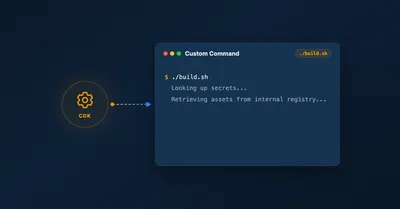
Run Custom Build Commands During CDK Synthesis with Code.fromCustomCommand
Learn how to use CDK's Code.fromCustomCommand to run custom build scripts, download artifacts, or use non-standard toolchains like Rust or Go during CDK synthesis.
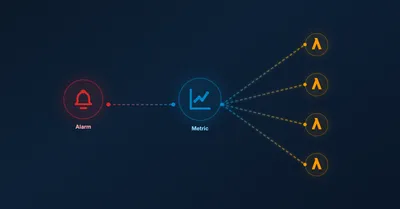
Scale CloudWatch Alarms with Metrics Insights Queries
Use CloudWatch Metrics Insights to monitor multiple resources by querying their tags.
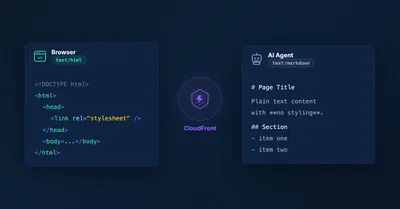
Serve Markdown for LLMs and AI Agents Using Amazon CloudFront
Learn how to serve Markdown to LLM and AI agent clients while keeping HTML for human visitors, using CloudFront Functions, Lambda, and S3 — the AWS equivalent of Cloudflare's 'Markdown for Agents' feature.
5 Ways To Bundle a Lambda Function Within an AWS CDK Construct
5 ways to bundle Lambda functions in CDK constructs: inline code, separate files, pre-build bundling, NodejsFunction, and Serverless App Repository integration.