
If you use AWS for your private website, tools or just for testing new things, you will get to the point where you’re not sure how much money your resources cost you. AWS has a small tool for that: AWS Budgets. With this tool you can keep your AWS budget under control and get notified if it exceeds your limit. Combined with proper environment management for your CloudFormation stacks, you can effectively control costs across multiple environments.
Features
The following main features are supported by AWS Budgets:
- Filter costs on tags, services, etc.
- Observe real costs or forecasted costs
- Get notifications if your resources exceed your limit
How to setup AWS Budgets
Go to your Billings Dashboard, click left on Budgets and then create a new budget. You will see a wizard that guides you through the steps.
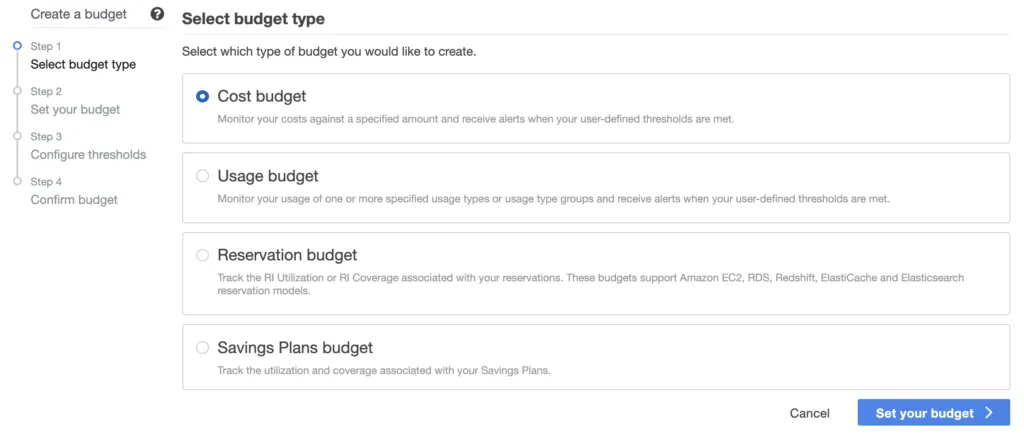
Step 1: Setup a cost budget
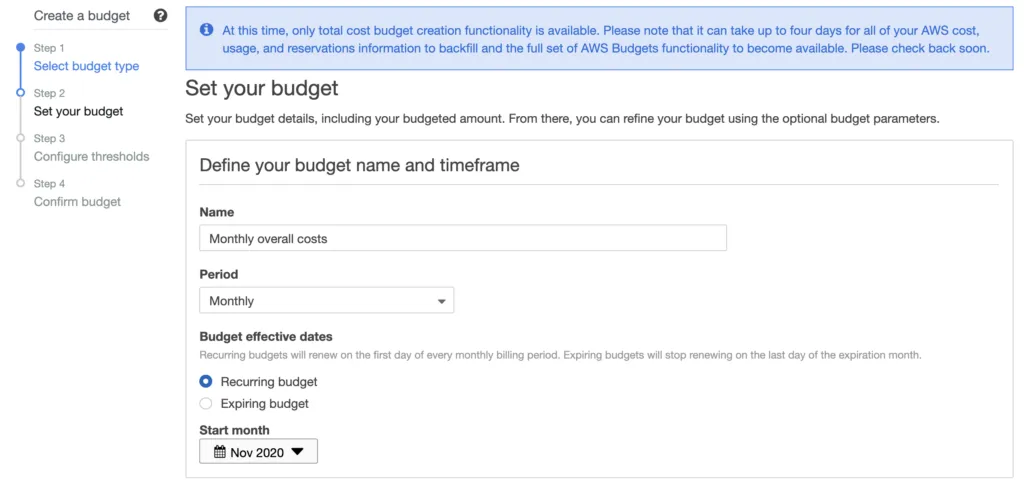
Step 2.1: Give it a name and select period
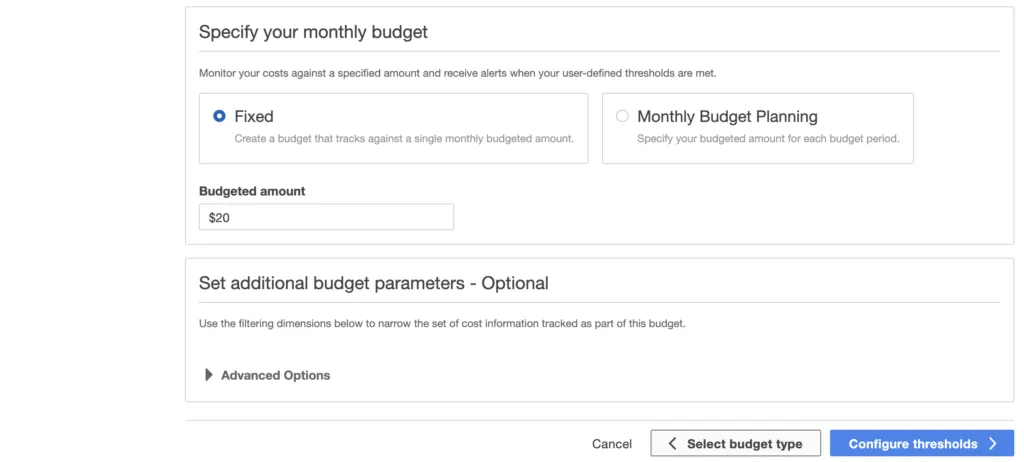
Step 2.2: Specify your budget amount
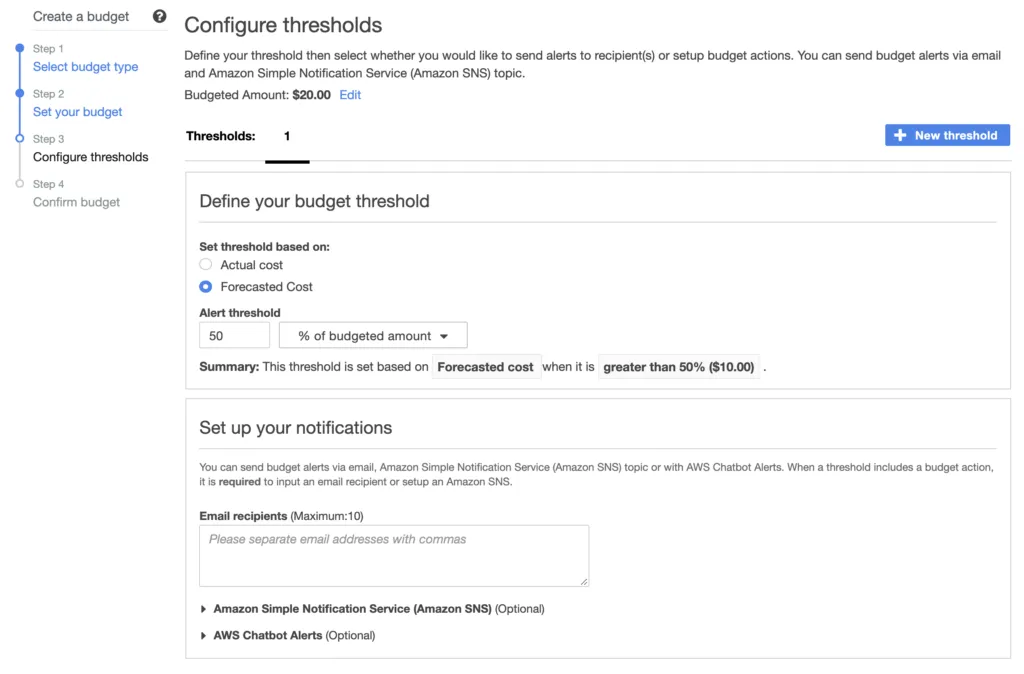
Step 3: Define the threshold and notification settings.
Notifications are really helpful if you’re not constantly visiting your billing dashboard. Hint: use a forecasted value for your threshold, so you’ll get a message (hopefully) early enough before it’s too late. For more proactive cost reduction, consider automatically shutting down expensive CloudFormation stack resources overnight when they’re not needed.
That’s it already! This small feature can save you real money in case you forget to shutdown instances the next time. For even more cost savings, automate the shutdown of your development resources during off-hours.

Related Articles
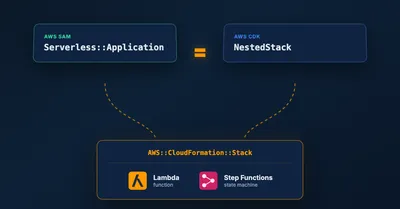
Migrating a SAM CfnApplication to a CDK NestedStack Without Recreating Resources
How to replace an embedded SAM CfnApplication with a native CDK NestedStack in place, keeping the underlying Lambda and Step Functions resources and their outputs intact.
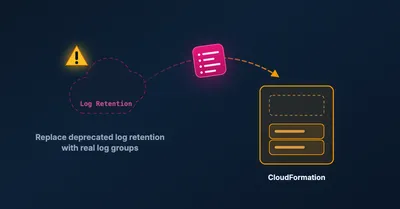
Migrating AWS CDK logRetention to logGroup Without Losing Your Logs
How to safely migrate the deprecated AWS CDK logRetention prop to logGroup by importing the existing log group, so you keep your logs and avoid a failed deploy.
Serverless and AI on AWS in 2026: Governing Agents and the New Agent Economy
Part two of the 2026 serverless AI tour: Bedrock AgentCore for production governance, Strands Agents, the AWS Serverless agent plugin, and WAF's new AI traffic monetization.
Serverless and AI on AWS in 2026: Lambda Gets Hands, S3 Gets Memory
A practitioner's tour of how AWS rebuilt serverless compute and storage for AI agents in 2026: Lambda MicroVMs, Durable Functions, S3 Vectors, S3 Annotations, and managed RAG.