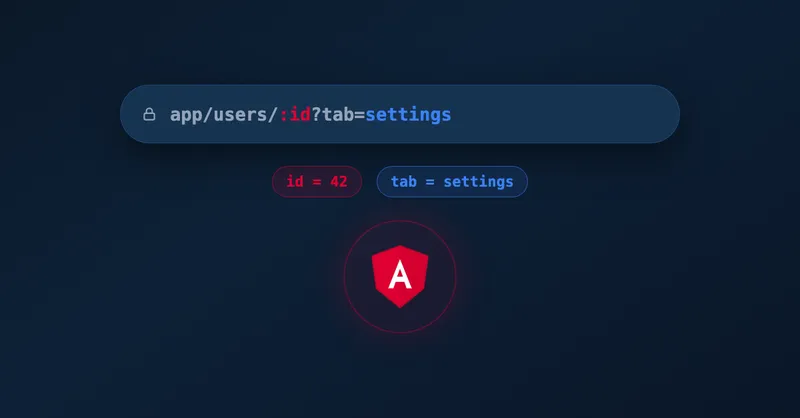
AngularJS provides several ways to use URL parameters in order to serve different views to a user or hand over information by using the URL. In this tutorial I will explain the different options you can use, e.g. for a URL like /path/:param/with/query?foo=bar.
Important to know:
a) Angular’s URL Handling
By default Angular uses the # (hash) to switch between different views. For example:
-
some-domain.com/index.html#/about-> Shows the view which is mapped to “/about” -
some-domain.com/index.html#/contact-> Shows the view which is mapped to “/contact”
Another way is to use the HTML Push State feature. This adds another entry to a browser’s history which is similar to calling window.location = "#foo"; in JavaScript.
b) Important AngularJS Modules
$routeProvider:
Goal: used to define the location of a view, e.g. maps “/about” to “views/about.html”
Angular Documentation: $routeProvider
$routeParams:
Goal: used to retrieve path and query parameters, e.g. retrieve id parameter of “/user/:id”
Angular Documentation: $routeParams
$locationProvider:
Goal: used to set properties for handling different URL paths, e.g. set HTML5 mode for using push state
Angular Documentation: $locationProvider
$location:
Goal: used to retrieve information from URL or manipulate it, e.g. change URL to “/another/view” in order to change to another view
Angular Documentation: $location
Usage in AngularJS:
1.) Path Parameters
In order to provide a more flexible application, you should use path parameters. A use case might be to save a specific user based on its id. Path parameters are defined as /:param within AngularJS. Examples:
-
/user/save/:id-> id is a required parameter -
/user/save/:id?-> id is an optional parameter -
/user/save/:id*-> id can occur multiple times
Now you might wonder how these are implemented in Angular? Here is an example:
// in order to make this code work, you have to add ng-controller="ExampleCtrl" to a view or add controller:'ExampleCtrl' after templateUrl

angular.module('example', ['ngRoute'])
  // register the route for the view save\_user.html
  .config(['$routeProvider', function ($routeProvider) {
    $routeProvider.when('/user/save/:userId', {
      templateUrl: 'save\_user.html'
    });
  }])

  // now register the controller
  .controller('ExampleCtrl', ['$routeParams', '$location',
    function ($routeParams, $location) {

      // e.g. read userId parameter by directly accessing $routeParams
      var userId = $routeParams.userId;

     // do sth. with the user id
  }]);
In order to change the route by yourself, you should use $location:
$location.url(...) -> Change the whole routeExample:
URL before: ...#/some/route?my=param
$location.url('/any/route')
URL after: ...#/any/route
$location.path(...) -> Only change the path, but not the URL query parameters
Example:
URL before: ...#/some/route?my=param
$location.path('/any/route')
URL after: ...#/any/route?my=param
2.) Query Parameters
AngularJS also provides a way to manipulate URL query parameters which are appended to an URL after the question mark, e.g. ?foo=bar.
$location.search({...}) -> Only change the query parameters, but not the path
Example:
URL before: ...#/some/route?my=param
$location.search('my', 'another')
URL after: ...#/some/route?my=another
If you want to retrieve these query parameters, you can use $routeParams as well like shown before. But you should consider that path parameters have a higher priority than query parameters, i.e. if parameters have the same name, the path parameter always wins.

Related Articles
Using AngularJS and Spring together
Build web apps with AngularJS and Spring Boot. Complete tutorial from Spring Initializr setup to AngularJS routing with single page application architecture.
How to test a web app with popups using Selenium
Test hover popups with Selenium using Actions class and WebDriverWait. Solve the common problem of timing issues when popups don't open immediately.
Manipulate a page from a chrome extension
Build Chrome extensions that manipulate web pages using content scripts and context menus. Learn the message passing system between background and content scripts.
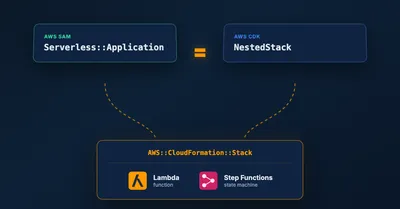
Migrating a SAM CfnApplication to a CDK NestedStack Without Recreating Resources
How to replace an embedded SAM CfnApplication with a native CDK NestedStack in place, keeping the underlying Lambda and Step Functions resources and their outputs intact.